


Pricing
- $19 / month (waived for 2021)
- Get wholesale pricing without minimum order
- Hosting included
- Sub-domain included (yourstore.cottony.sg) or use your own domain
- E-commerce enabled
- 10% transaction fee on commission
Create Your Store
Common questions:
How do I use my own domain?
- When you sign up, just select any sub-domain to register. Once you are configuring your store, you will need to set your DNS (with your domain host) to point to our server. Instructions are available on the page, and you can contact your domain host to check how to add DNS records.
Can I set my selling price?
- Sure, you can either set a fixed % markup or an individual selling price per product, which will determine your profit per sale. The only restriction is that you will not be able to set selling price below the wholesale price.
How do I receive my profits?
- On your store dashboard, you will see the number of orders and the commission (your profit) due to you. At the end of each month, you will automatically receive the payment via PayPal. We will cover the fee of sending payment to you, but there might be withdrawal fees from PayPal to your bank account. If you are based in Singapore and would like to receive the commission via PayNow, leave out the PayPal details and get in touch with us.
What is the transaction fee on commission?
- It is calculated on the commission/profit per sale. If the wholesale price is $14 and your selling price is $30, your gross commission will be $16 and the transaction fee is $1.60. The nett commission to you will be $14.40. This fee is meant to offset the transaction fee charged by PayPal.
Need further help? Check out our Help Center for details!
Let's get started
First things first, are you creating a store to sell a set of products? Or you prefer to let your customer choose which product to print your design on?
You can offer both, but it may be confusing so we recommend that you curate a set of products since you can also use you own images (mock up or real life) instead of using our default mock up images.
Creating your first product
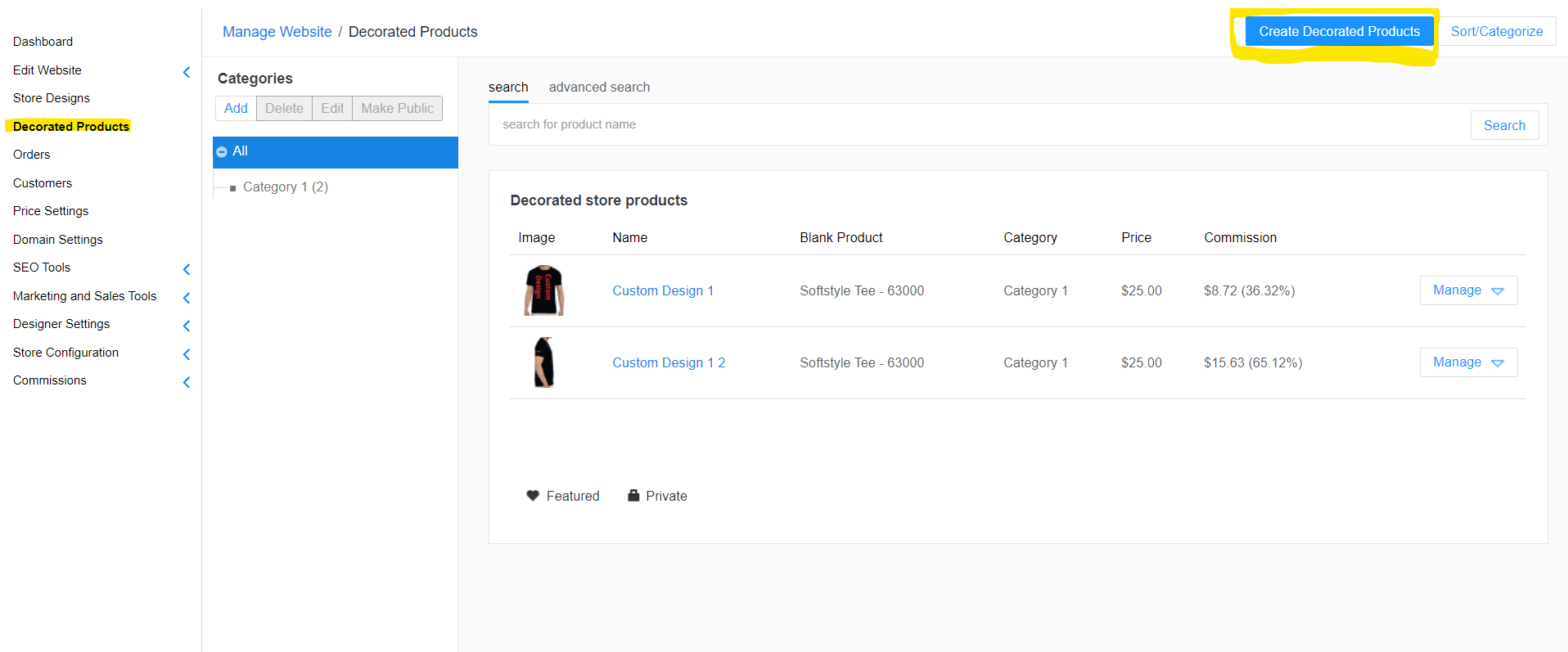
1. Go to decorated products
2. Click on Create Decorated Products
3. Choose a product for your design
4. Click Save and Continue
5. Click Add Design and upload your artwork(s). Adjust placement on the product.
6. Click Save and Continue
7. Type in a name for your product and add product description
8. Choose a category or make a new category. This is entirely for your store so be flexible. You can edit and change this later.
9. Click Save and Continue
10. Choose if you want to have multiple colours available for this design you’ve created. Leave it as is if you want to allow all the colours available or if you want to only have 1 colour available just untick the all colours box and select the colour you want
11. Click Save and Continue
12. Next check your pricing. Uncheck Use Default box to set a custom retail price and save. Congratulations, your first product is live!
Additional recommend steps
1. Go to decorated products
2. Click Manage, Configure
Improving your SEO
1. Select Meta information
2. Click Override default and input more relevant description and keywords
3. Click save
Using your own product image
1. Select Listing Image and replace
2. Click save
